KS|Shop: My Personal Gaming Top-Up Project
Documenting how I built a platform for gamers—just as a personal project.
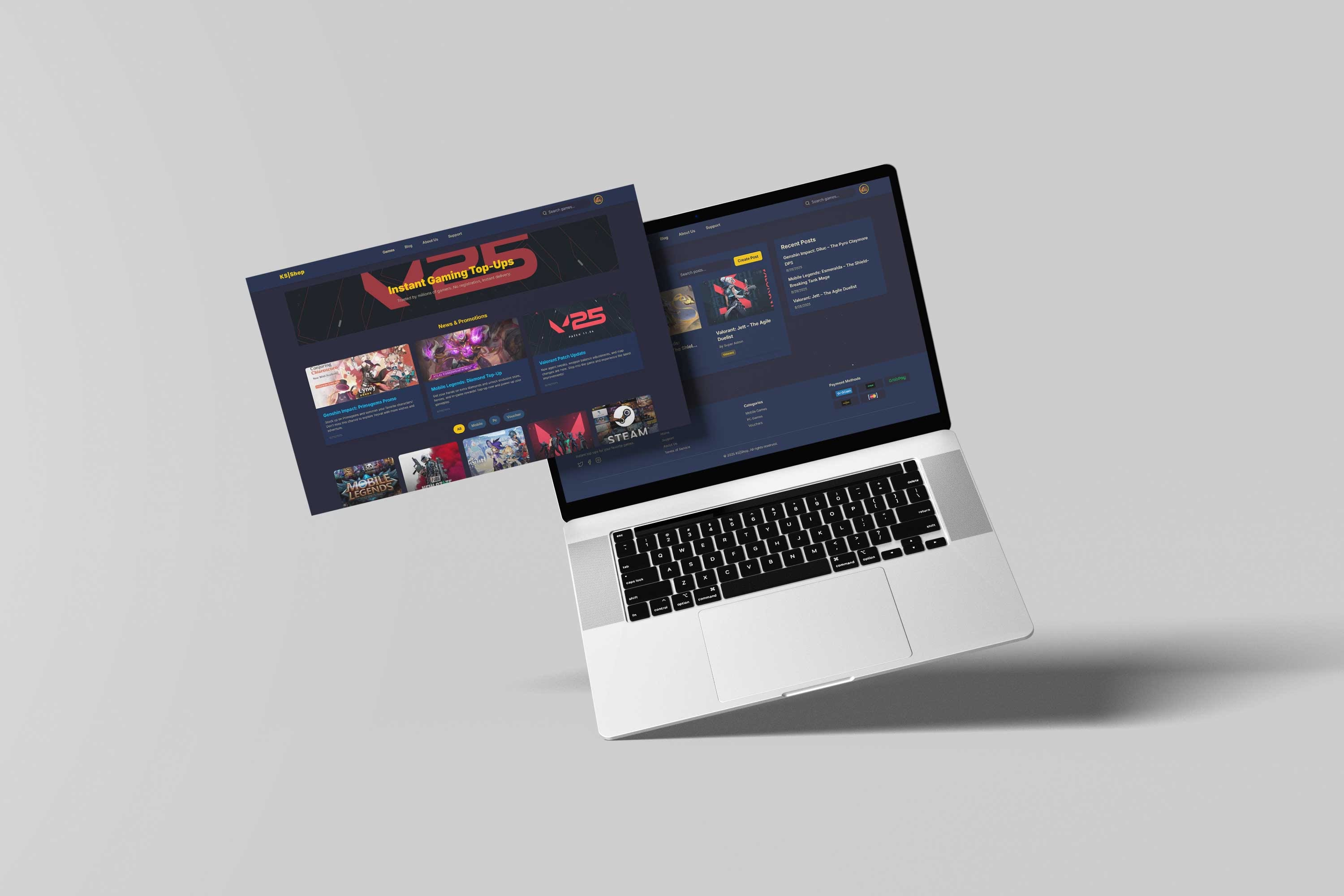
Documenting how I built a platform for gamers—just as a personal project.
Why I Built KS|Shop
As someone who plays games like Mobile Legends, Genshin Impact, and Valorant, I noticed topping up in-game currency could be slow and confusing. I wanted to experiment with building a platform that could make the process smoother—not for commercial purposes, just to challenge myself.
KS|Shop became a playground to explore full-stack development, real-time updates, and secure payment integration, all in one project.
My Approach
I focused on building a platform that works, looks clean, and is secure—without worrying about competing with existing services.
Frontend
- React 18 + TypeScript for a robust framework
- Tailwind CSS for fast styling
- Framer Motion for smooth animations
- React Router & Context API for state and navigation
Backend
- Node.js + Express.js for server logic
- MongoDB with Mongoose for data
- JWT for authentication
- PayMongo API for safe testing of payments
- Socket.io for real-time updates
Features I Experimented With
Game Catalog
I built a simple catalog with:
- Server selection
- Flexible denominations
- Live inventory updates
- Images and descriptions
Supported games are Mobile Legends, Genshin Impact, Valorant, and a few others—just for practice.
User Authentication
I explored:
- JWT-based authentication
- Role-based access (user/admin)
- Email verification
- Bcrypt password hashing
It was a good way to practice security concepts.
Checkout Flow
The purchase flow I implemented was basic but functional:
- Choose game & server
- Select denomination
- Choose a payment method
- Confirm order
- Mock top-up completion
Payments
I integrated multiple payment methods in a sandbox environment, focusing on secure handling rather than real transactions.
Admin Dashboard & Blog
I experimented with an admin panel to manage orders and game data, and a blog system to post updates and guides. Features included:
- CRUD operations for posts
- Rich text formatting
- Image and video embedding
- Code block support for tutorials
This helped me practice content management and learn full-stack integration.
Lessons Learned
- How to structure a full-stack project
- Basics of real-time updates
- Implementing secure authentication
- Handling mock payments and cart flow
- Organizing a personal project end-to-end
Conclusion
KS|Shop is a personal project and a sandbox for learning. I didn’t build it to compete in the market—it exists solely to test ideas, learn new skills, and document my development journey.
I’m proud of the experience, and it will help me in future projects.